Working with Dropbox & AcuDesign App for the iPad

The update to Dropbox on the 10th of October, 2017 may have changed the way that you can now access your designs that you have stored in folders within the Dropbox app. Previously you could select the import / export icon to select for Dropbox from within the AcuDesign app. After the update, you can still use Dropbox, just in a different way.

The following directions will help to work with designs that you have saved into Dropbox but wish to use in AcuDesign.

1. Open Dropbox app on the iPad.
Dropbox AcuDesign (2)
 2. Select the Files icon at the bottom left of the screen.

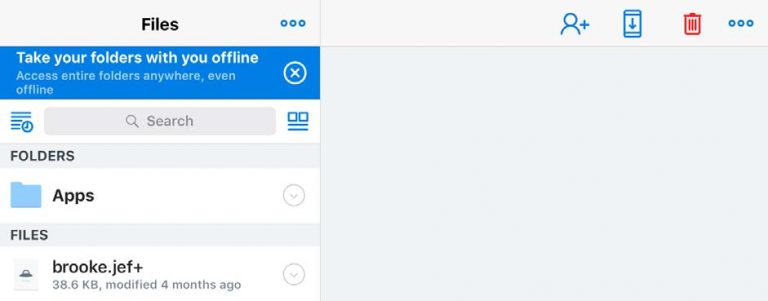
3. Select the folder named ‘Apps’ that is listed under the folders heading on the left.
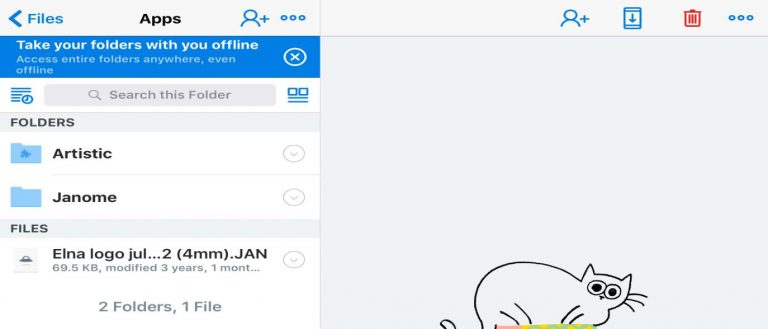
 4. A new list will open and one will be named ‘Artistic’, select this folder and you will have your .jef files showing.
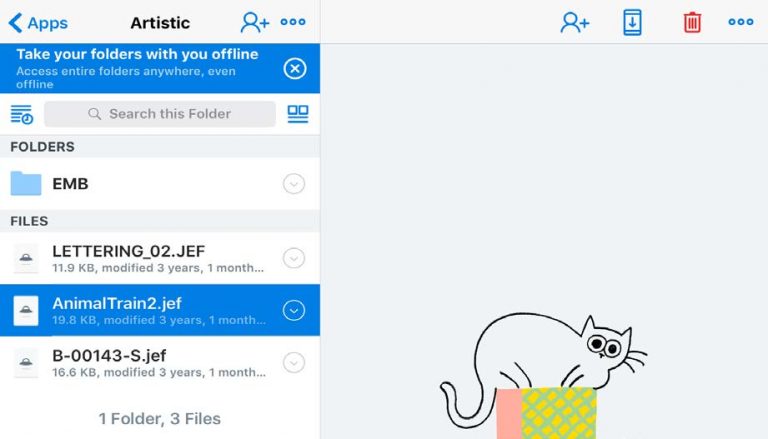
 5. Select a file by pressing on its name. It will become highlighted blue.
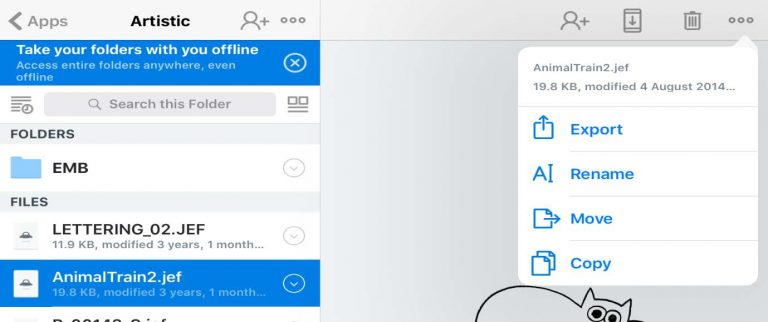
 6. Now select the icon in the top right of the screen. A drop down will show and select ‘Export’.
 7. Select Open In… (The menu will change)
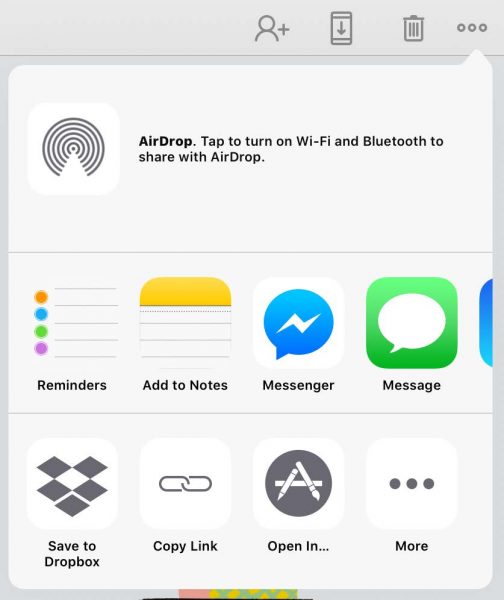
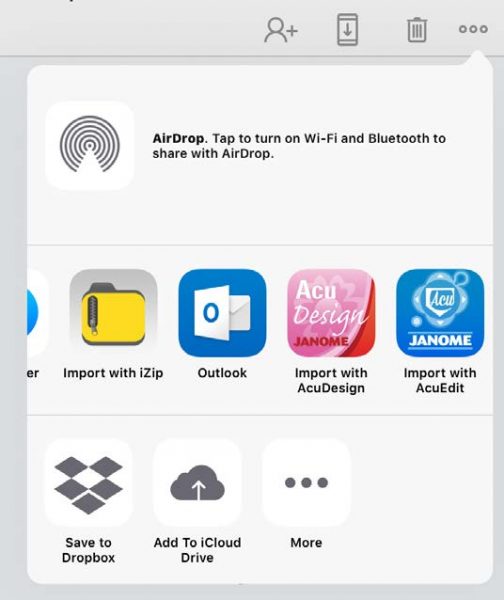
 8. Scroll across until you see the icon for AcuDesign. Select the icon ‘Import with AcuDesign’.
 9. The iPad will then open AcuDesign app. It will prompt you to save the design to use in the app.
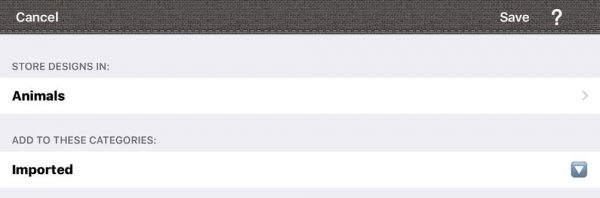
 10. You can create your own folder at this point by selecting the ‘Edit’ icon.
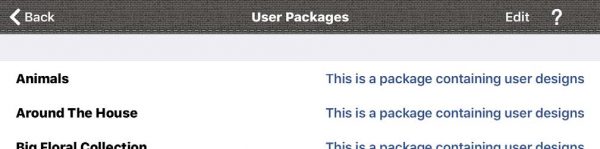
 11. Select the ‘Add New’ icon from the list.
 12. Name the folder and description to suit you.
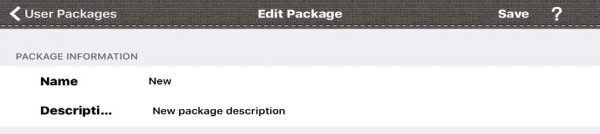
 13. Save the file names.
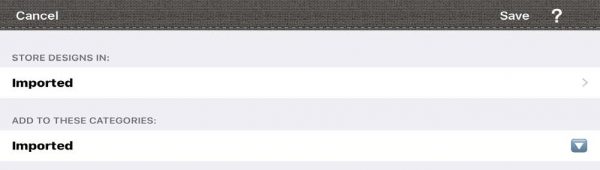
 14. Save the design to the folder and you will be able to use it through the AcuDesign App.
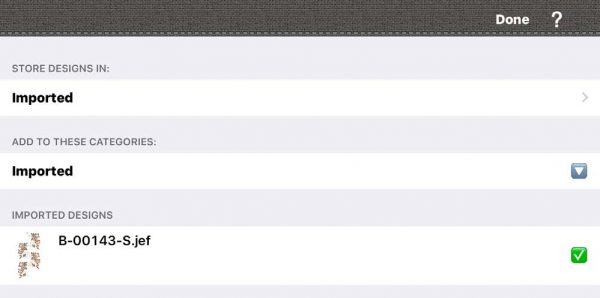
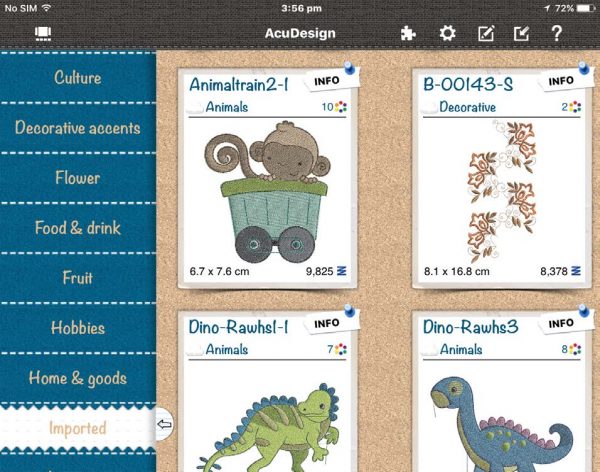
 15. You will now be able to see the design that you saved in the ‘Imported’ folder in the AcuDesign app.
 To download the instructions as a PDF document, click here.
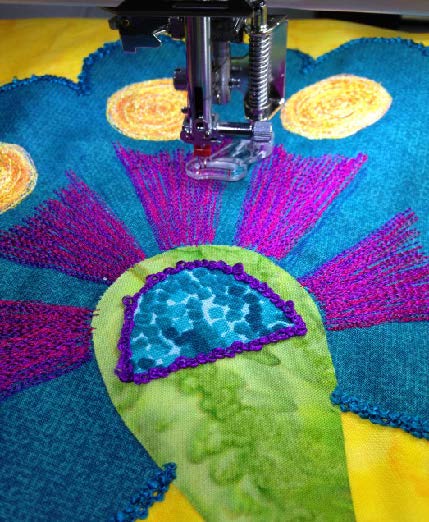
 

Free Motion Darning Foot – Accessory of the Month October 2017

Janome darning foot

It’s great fun to do free-hand embroidery with a sewing machine! The stitching is controlled by the movement of your hands while manually guiding the fabric.  This foot is especially designed for free motion embroidery, stippling, darning and monogramming. Skipped stitches are no longer a concern; as the needle moves up and down, so does the spring-loaded foot. This foot gives excellent fabric control while the stitches are being formed as well as the ability to move the project freely under the foot. Furthermore, the transparent foot makes it easy to see the stitching as you darn and quilt.

This Accessory of the Month comes with a bonus project – click on the link in the PDF and the easy step-by-step instructions are right there for you to follow.

Download Instructions

Tips & Techniques

[su_spacer]

[su_row][su_column size=”1/2″ center=”no” class=””]

[/su_column]

[su_column size=”1/2″ center=”no” class=””]

Heading

Lorem ipsum dolor sit amet, consectetur adipiscing elit. Nulla dolor sapien, sagittis ut consequat sit amet, sollicitudin quis libero. Sed fermentum dui pretium posuere imperdiet. Duis ac placerat urna, ut ornare metus. Ut mi sem, facilisis vitae quam ac, auctor congue lacus. Sed non ex nec lorem posuere volutpat. Sed justo mi, lobortis tincidunt ullamcorper ut, tincidunt quis purus. Vivamus aliquet tincidunt neque. Donec molestie pharetra diam, a dictum nisi pretium eget. In ac iaculis ex, ut pretium metus. Morbi vel ultrices nibh, ac laoreet enim. Nulla tincidunt sodales sollicitudin. Orci varius natoque penatibus et magnis dis parturient montes, nascetur ridiculus mus. Integer porta non est vitae dapibus. Duis mauris metus, mattis non justo nec, gravida pharetra mi.

Etiam blandit sem non tortor aliquet, non luctus nibh pretium. Suspendisse efficitur lacus molestie velit egestas efficitur. Praesent euismod dapibus enim, vitae pretium turpis fermentum et. Mauris dignissim purus ut justo ornare tempor nec id nulla. Curabitur pretium pretium lacus aliquet auctor. Nullam at urna tortor. Integer eleifend ultricies aliquam. Etiam sed ex et elit eleifend ullamcorper. Nunc a auctor sapien. Pellentesque habitant morbi tristique senectus et netus et malesuada fames ac turpis egestas. Nunc at cursus arcu, non laoreet est. Interdum et malesuada fames ac ante ipsum primis in faucibus. Aliquam egestas ut lacus eu sollicitudin. Nam consectetur eu neque ac aliquet. Sed luctus, nisi at pretium gravida, nisi nibh eleifend dolor, quis laoreet metus lectus quis lectus. Morbi euismod diam in molestie convallis.

[/su_column][/su_row]